Appearance
Announcements & Employee Communications (HCM)
This page documents two shipped Communications screens (hcm-communications). Not for plugin developers.
Announcements
Real lifecycle: draft → Submit for Review → Approve → Publish → Archive. Set a Category, Priority, Owner, and Publish At date. Once published, the grid tracks real View Count and Acknowledged Count, so you can see whether an announcement is actually being read, not just that it went out. KPIs: Drafts, Pending Approval, Scheduled, Published.
Employee Communications
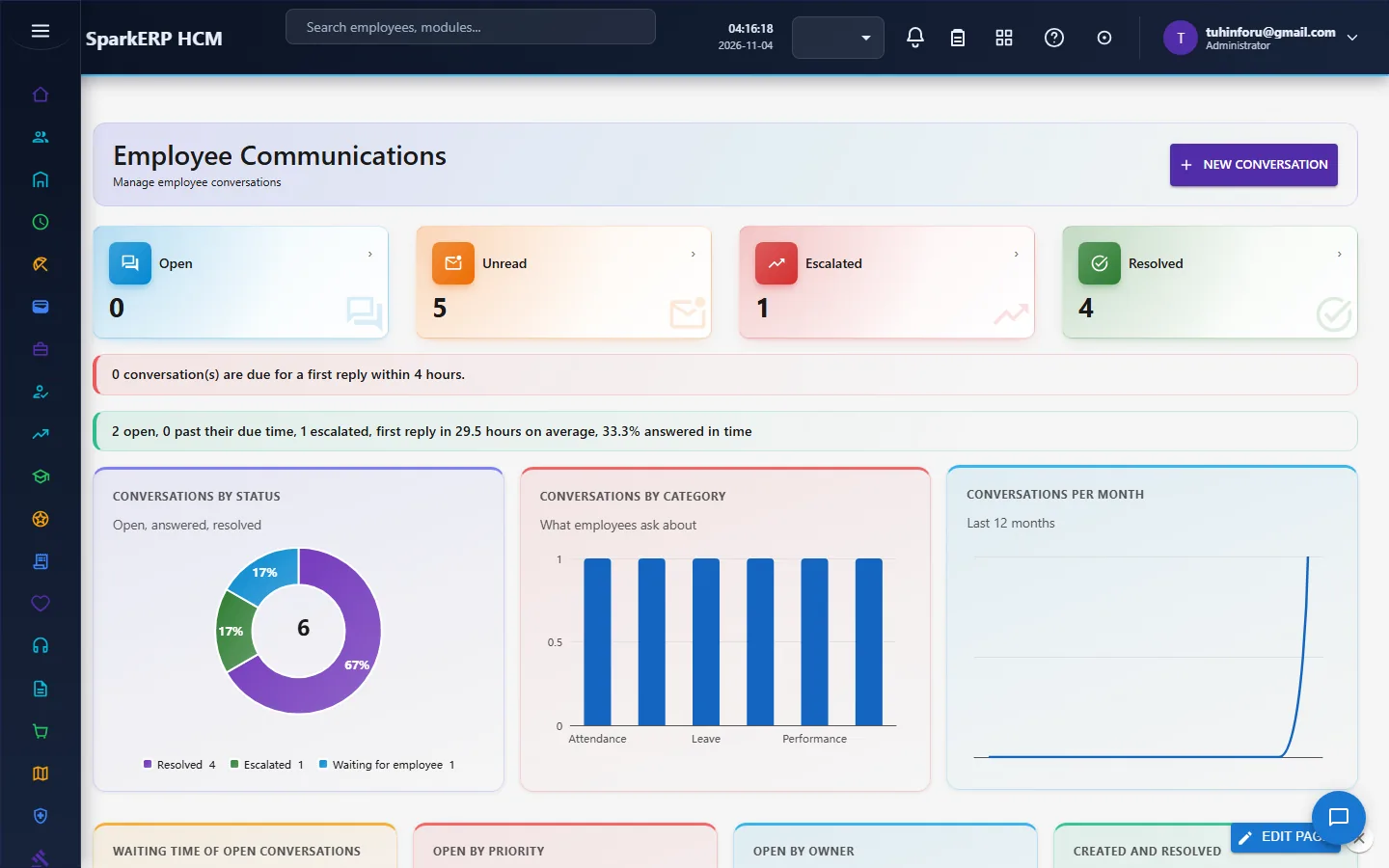
A two-way inbox between HR and employees. Each thread tracks the Employee, Subject, Category, Priority, who it's Assigned To, when the Last Message was sent, and Status — moving through Open → (optionally) Escalated → Resolved. KPIs: Unread, Open, Escalated, Resolved — so HR can see at a glance if anything's sitting unanswered.
Conversation figures
Cards show Open (conversations whose status is Open), Unread, Escalated and Resolved. The summary line counts everything unresolved (including escalated and waiting for the employee), the average time to a first reply, and the share answered within their due time. A red line names conversations due for a first reply within 4 hours. Charts: status, category, per month, waiting time, priority, owner, created and resolved, and time to reply and to resolve.